Custom training · 1 day

One day to automate your Particleworks work

The workshop method in the morning. In the afternoon we build the scripts and automation for your own simulations, and they stay with you.

  • Length1 day
  • FormatYour team, your cases
  • Requirements for participationAn AI tool installed on your machine (Codex or Claude Code)

The training at a glance

  • 1 day, your team, your cases
  • Morning the workshop method, afternoon your own cases
  • Scripts and automation stay with you
Request this training
The day

Method in the morning, your automation in the afternoon

Morning · the workshop

What is possible

  1. From script to agentpwpy, AI chat with the API in context, agents that run the machine.
  2. Gearbox, end to endChurning loss, HTC map, steady thermal model, each step gated.
  3. DoE on materials and post-processingRheology laws, wetting and force maps, automatic reports.
  4. Blender in the loopParticles to cinematic renders from the same pipeline.
  5. Complex workflows and checksTemperature-driven viscosity and per-particle history, with a check on every result.
Afternoon · your cases

Custom scripts and automation

  1. Start from your modelWe start from a case of yours and automate its set-up and runs.
  2. Build the post-processingThe outputs and the report your team actually needs.
  3. Add one extensionA scripted motion, a custom viscosity law, or a first SDK hook.
  4. Hand-overDocumented scripts that stay in-house.
From script to agent

Three stages. Take as many as you need.

The script is the visible part. Most of the work sits below the waterline.
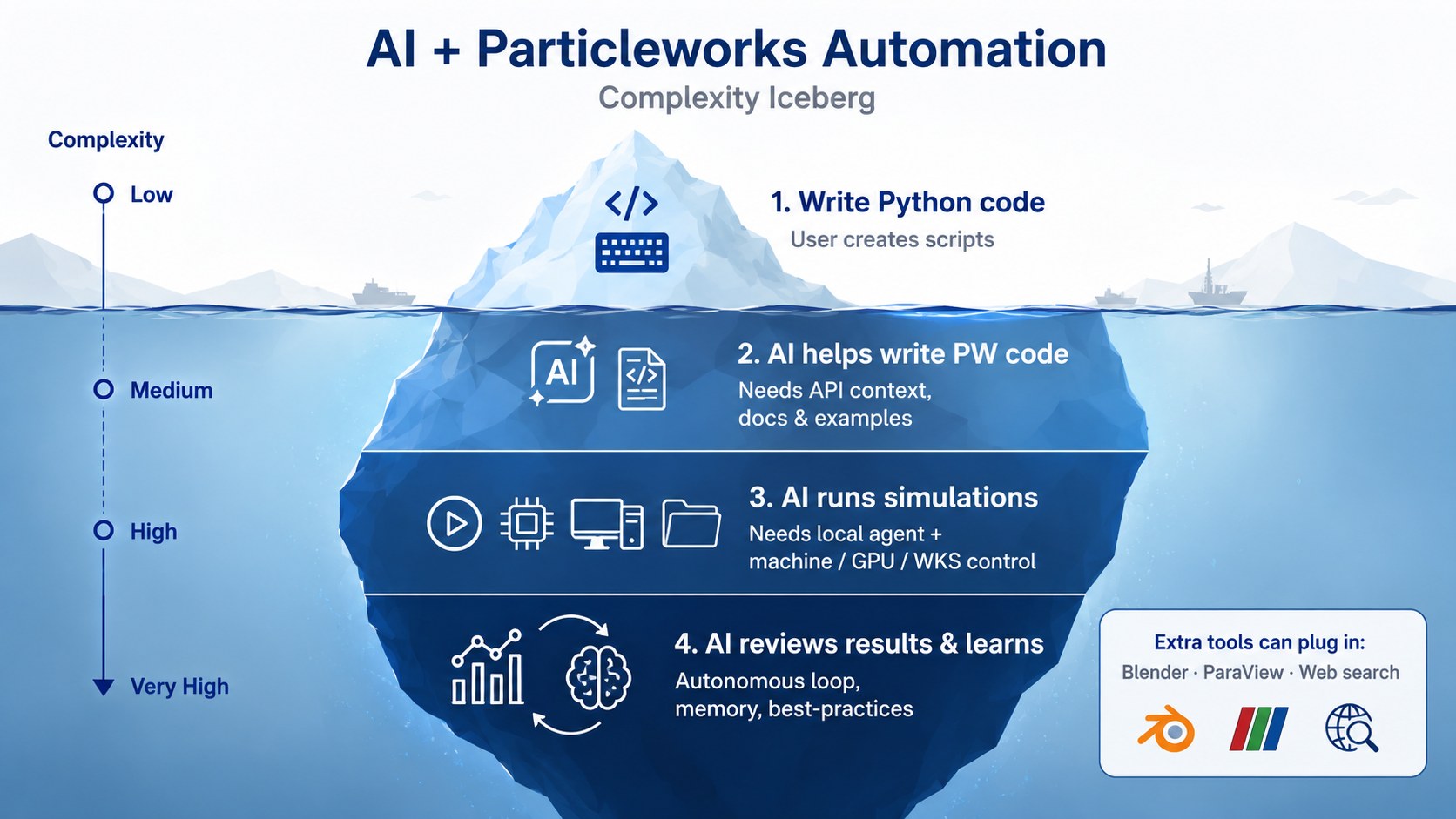
Iceberg diagram: writing Python is the tip; AI helping write code, AI running simulations and AI reviewing results sit below the waterline
The complexity iceberg of AI plus Particleworks automation, from the workshop. Levels 1–2 are stage 1, level 3 is stage 2, level 4 is stage 3.
STAGE 1

Script & AI chat

Rigid Python for pre and post-processing and DoE. An AI chat writes the pwpy code with the API documents and examples in context.

STAGE 2

AI agent

Claude Code or Codex runs the machine: folders, GPU jobs, retries. It calls Blender or Paraview.

STAGE 3

Review, learn, extend

The agent checks the results, remembers your best practices, and goes as far as an SDK hook inside the solver.

What you leave with

Six working pieces

  • A gearbox thermal chain from churning run to temperatures
  • A materials DoE across Newtonian, Bingham and shear-thinning laws
  • An automatic report same format for every run
  • A Blender render pipeline particles to beauty frames
  • A scripted motion keyframes without clicking
  • A custom viscosity law up to an SDK hook in the solver
Simulated egg pour into a pan, rendered from Particleworks particles
The omelette: viscosity follows temperature, cooking history per particle, Blender render.
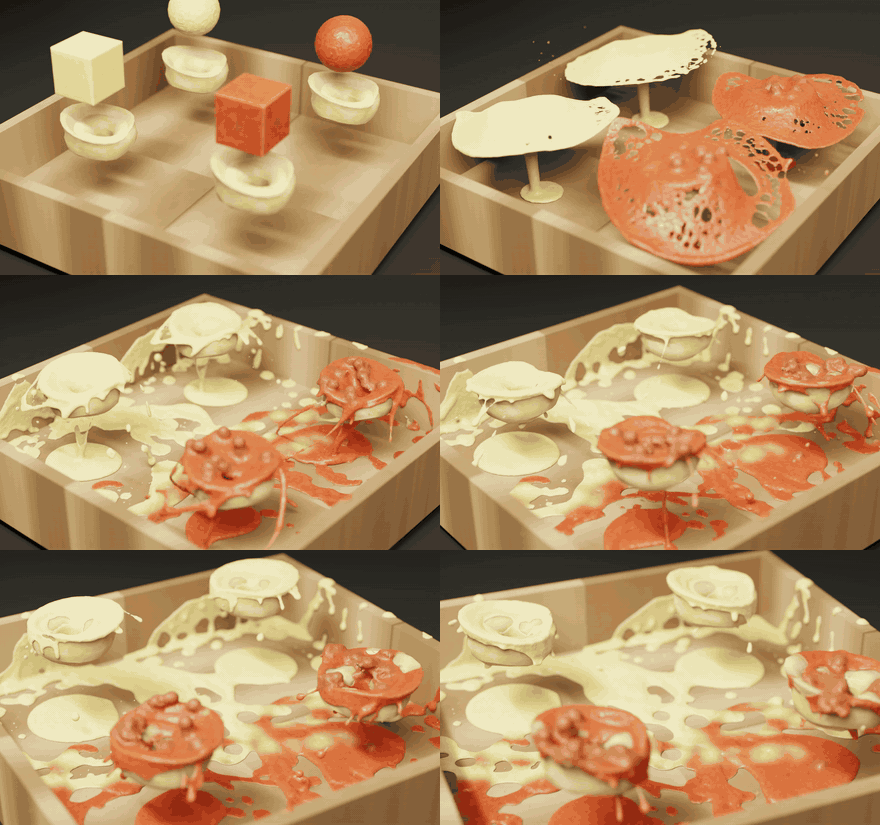
Two viscous sauces pouring onto stuffed pasta in a simulation render
Two fluids, one study definition: materials compared by script.
Requirements

Requirements for participation

Required: an AI coding tool, installed locally

Claude Code Desktop (Anthropic), Codex (OpenAI), or another AI tool installed on your own machine before the day. A browser chat alone is not enough.

Particleworks, same machine

So every script is tested live, on your own installation.

No training data needed

Agents work like a junior engineer reading the documentation. Your data stays on your machine.

We reply with a proposal

Tell us your team and your cases.

Or write to info@particleworks-europe.com.

Request this training

Tell us your team and cases. We reply with a proposal.

Mention “AI acceleration training” and your AI tool. A local install of an AI tool on your own machine is required.

Want a taste first? 45-minute live webinar, Thu 26 November 2026, 15:00 CET.

See the webinar